





Full description at Canon.
Fast prints. HUGE savings
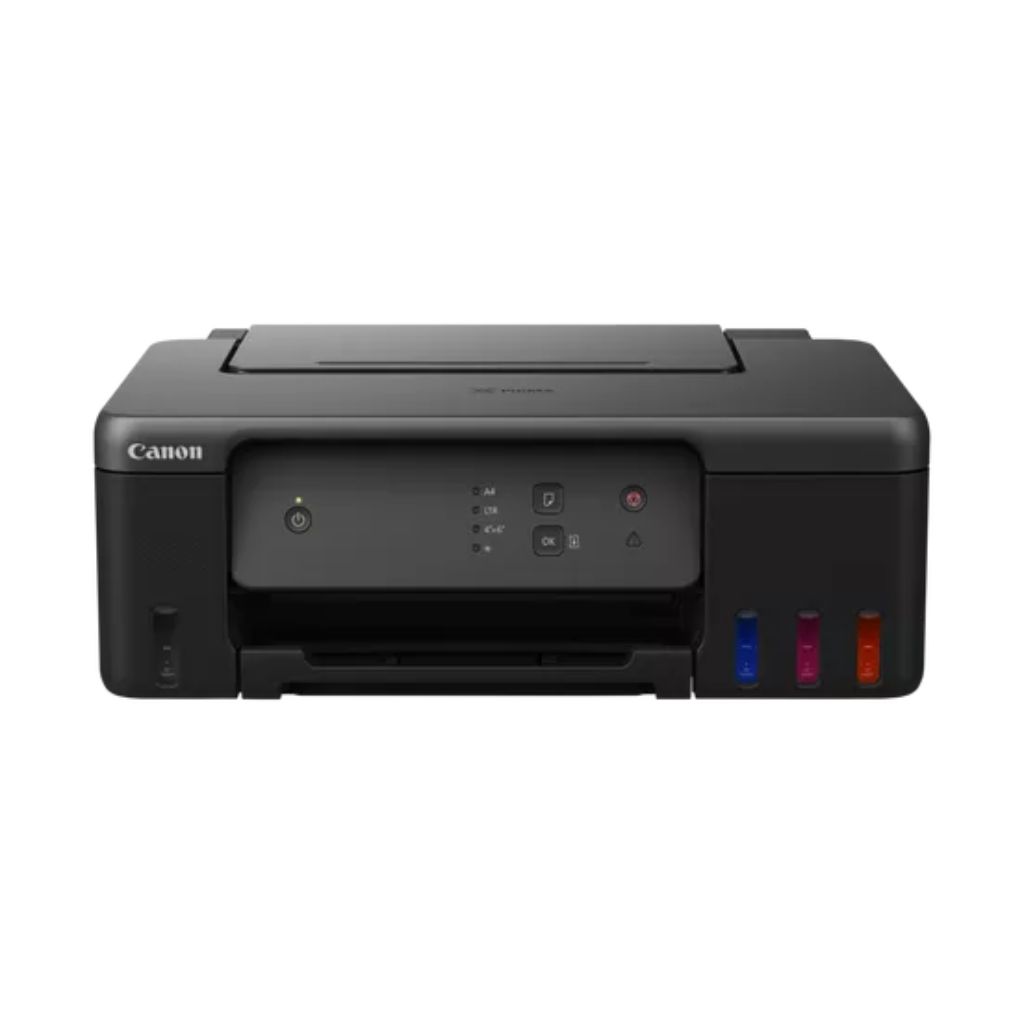
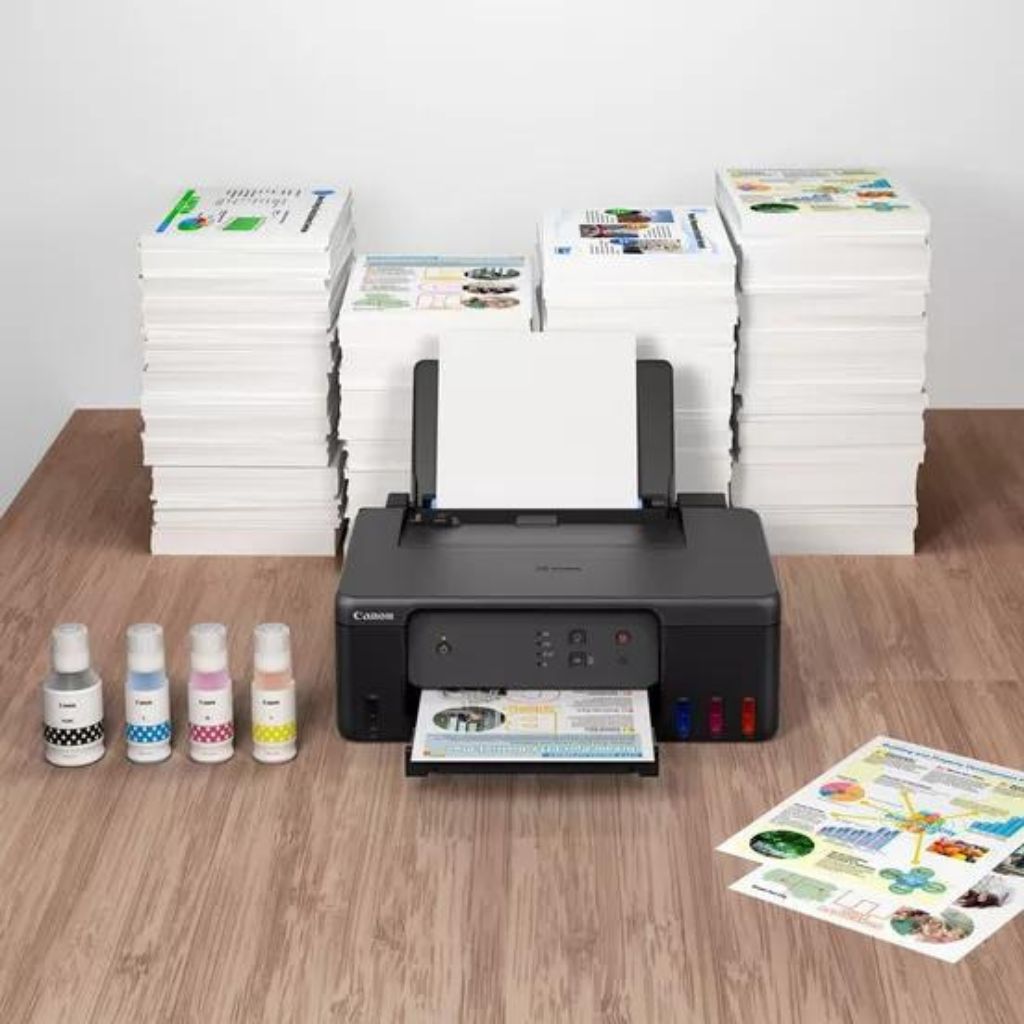
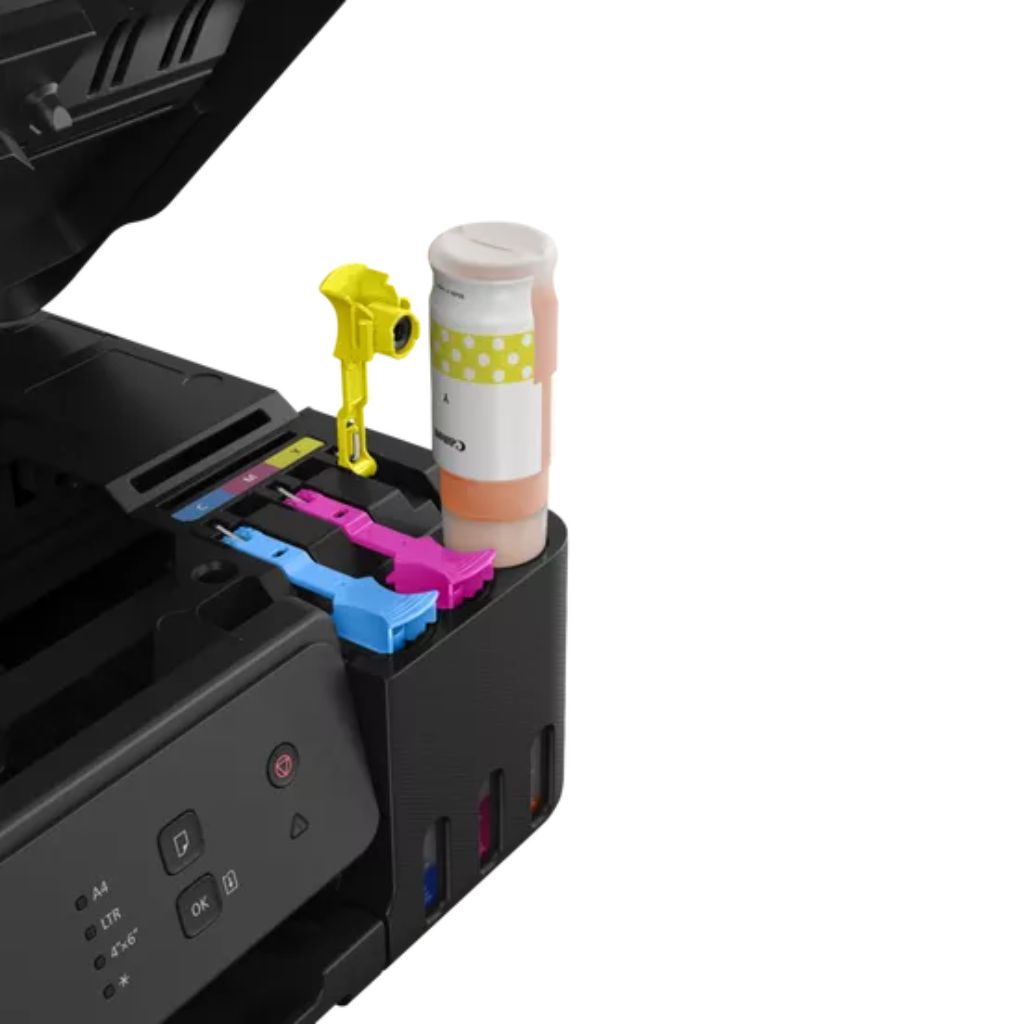
Quickly print documents at home while making huge savings with this affordable and efficient MegaTank printer. With refillable tanks and a single set of ink bottles delivering up to 8,100 prints1, running costs are refreshingly low compared to cartridge-based printers.
Simple operation
Easy, straightforward day-to-day use thanks to single-action print head installation
High-speed productivity
Get your documents faster thanks to print speeds of 11.0 ipm (mono) and 6.0 ipm (colour)
Easy at-home maintenance
Keep downtime to a minimum thanks to the user-replaceable maintenance cartridge and mechanical ID no-squeeze ink bottles
Work with more media
Get creative at home with the ability to print on magnetic and matte photo paper
Space-saving design
With its small footprint, the compact PIXMA G1430 is ideal for homes of all sizes
Specifications:
| General Specifications |
| Functions |
| Printer Specifications |
| Print Resolution |
| Up to 4800 x 1200 dpi1 |
| Print Technology |
| 2 FINE Print Head (Black and Colour) |
| Refillable ink tank printer |
| Mono Print Speed |
| approx. 11 ipm2 |
| Colour Print Speed |
| approx. 6.0 ipm3 |
| Photo Print Speed |
| Borderless 10x15cm : Approx. 45 seconds4 |
| Borderless Printing |
| Yes |
| A4, B5, LTR, 4″” x 6″”, 5″” x 7″”, 7″” x 10″”, 8″” x 10″”, Square (89 mm x 89 mm), Square(127 mm x 127 mm), Card Size(91 mm x 55 mm)5 |
| Two-Sided Printing |
| Manual operation |
| Cartridges and Yields |
| Standard Ink Cartridges |
| GI-41 <PGBK> |
| GI-41 <C> |
| GI-41 <M> |
| GI-41 <Y> |
| Cartridge Yield (Plain Paper) |
| A4 colour documents printing6 |
| Black: 6,000 pages (Economy mode 7,600 pages)7 |
| Colour: 7,700 pages (Economy mode 8,100 pages)8 |
| * Estimated supplemental yield |
| Cartridge Yield (Photo) |
| 10x15cm colour photo printing9 |
| Colour: 2,200 photos |
| * Estimated supplemental yield |
| Maintenance Cartridge |
| MC-G04 (User Replaceable) |
| Paper Support |
| Paper Types |
| Plain Paper |
| Red Label Superior 80 g/m2 (WOP111), |
| Canon Oce Office Colour Paper 80 g/m2 (SAT213) |
| Photo Paper Pro Luster (LU-101), |
| Photo Paper Plus Glossy II (PP-201) |
| Matte Photo Paper (MP-101), |
| Glossy Photo Paper “”Everyday Use”” (GP-501) |
| High Resolution Paper (HR-101N), |
| Envelope, |
| Photo Paper Plus Semi-gloss (SG-201), |
| Greeting Card (manufactured by Avery and RedRiverPaper), |
| Cardstock (manufactured by Neenah Paper and INKPRESS), |
| Restickable Photo Paper(RP-101) |
| Magnetic Photo Paper(MG-101) |
| Dark Fabric Iron on Transfers (DF-101), |
| Light Fabric Iron on Transfers (LF-101), |
| Double sided Matte Paper (MP-101D) |
| Maximum Paper Input |
| Rear Tray: Max. 100 sheets (plain paper) |
| Paper Sizes |
| A4, A5, A6, B5, LTR, LGL, Executive (184.2 mm x 266.7 mm), Legal(215 mm x 345 mm), 4″” x 6″”, 5″” x 7″”, 7″” x 10″”, 8″” x 10″”, Envelopes DL, Envelopes COM10, Envelopes C5, Square (89 mm x 89 mm), Square (127 mm x 127 mm), Card Size(91 mm x 55 mm) |
| [Custom size] width 55 mm – 216 mm, length 89 mm – 1200 mm |
| Paper Weight |
| Rear Tray: Plain paper: 64 – 105 g/m² |
| Canon specialty paper: max paper weight : approx. 265 g/m2 |
| (Photo Paper Plus Glossy II PP-201) |
| Interface |
| Display Type & Size |
| N/A |
| Connectivity |
| Standard Interface |
| Hi-Speed USB (USB B Port) |
| Software |
| Supported Operating Systems |
| Windows 11, Windows 10?Windows 8.1?Windows 7 SP1 |
| Operation can only be guaranteed on a PC with pre-installed Windows 7or later. |
| Printer driver,IJ Printer Assistant Tool and IJ Network Device Setup Utility are available with following OS. |
| Windows Server 2008 R2 SP1?Windows Server 2012 R2?Windows Server 2016?Windows Server 2019?Windows Server 2022 |
| Mac: OS X 10.14.6 ~ macOS 12 |
| Chrome OS10 |
| Minimum System Requirements |
| Windows: 2.0GB or more |
| Mac: 1.0GB or more |
| Note: for bundled software installation. The necessary amount of hard disk space required. |
| Display: 1024 x 768 XGA |
| Software Included |
| Printer Driver |
| IJ Printer Assistant Tool |
| Physical Features |
| Weight |
| approx. 4.6 kg |
| Dimensions (W x D x H) |
| Approx. 416 x 330 x 146 mm (with trays retracted) |
| Approx. 416 x 557 x 267 mm (with trays extended) |
| Acoustic Noise Levels |
| approx. 49.0dB(A)11 |
| Recommended Operating Environment |
| Operating Temperature: 5-35°C |
| Operating Humidity: 10-90%RH (no dew condensation) |
| Power Source |
| AC 100-240V, 50/60Hz |
| Power Consumption |
| Off: Approx. 0.1W |
| Standby (USB connection to PC): Approx. 0.6W |
| Standby (all ports connected): Approx. 0.6W |
| Time to enter Standby mode: 4minutes 21sec |
| Printing: Approx. 14W12 |
| *The wait time for standby cannot be changed (Lot26) |
| Typical Electricity Consumption |
| 0.10 kWh13 |
Included:
-
PIXMA G1430 Refillable MegaTank Inkjet Printer
-
4 high-yield ink bottles (1 x Black and 1 x C/M/Y)
-
Power cord
-
Manuals and other documents
*Specifications are subject to change without prior notice & subject to availability
Contact us if you would like to enquire about this product
Your message has been sent

Reviews
There are no reviews yet